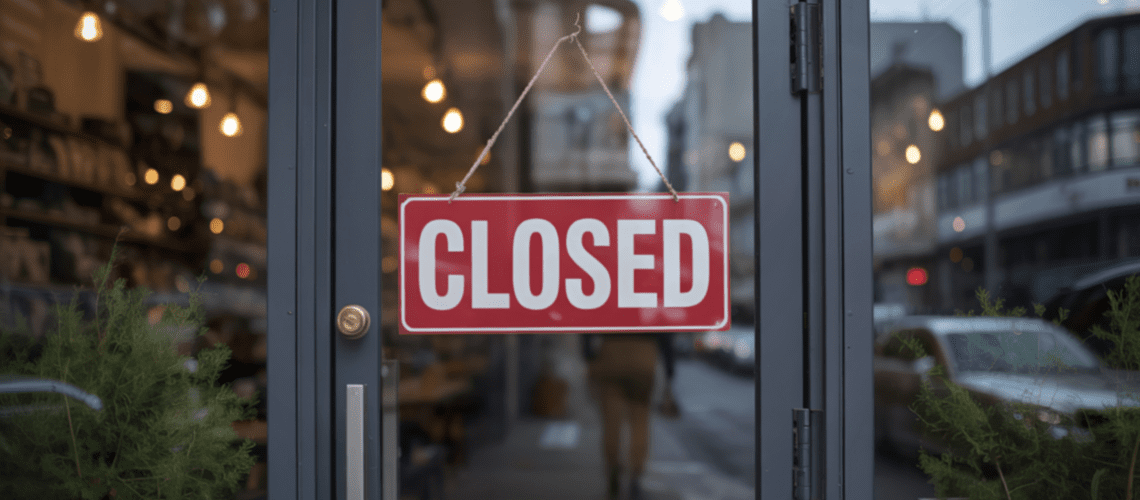
You drive 20 minutes to a shop. You park. You walk to the entrance. The door is locked. The lights are off. The location is closed during posted business hours.
The panic sets in. Do I still get paid? Do I leave? Do I contact the scheduler? What do I document?
Here’s the reality: Things go wrong in mystery shopping all the time. Locations close unexpectedly. Required items are out of stock. Technical glitches happen. Staff members aren’t available. Equipment fails at the worst moment.
The good news? Most problems don’t cost you payment if you handle them right. The key is knowing what to do, what to document, and who to contact. Understanding one critical truth helps: Companies are paying for good and bad reporting on how their businesses are running. Problems are data too.
In this guide, you’ll learn how to handle common problems before, during, and after shops. You’ll learn when to contact schedulers versus making your own decisions. You’ll learn what typically gets paid versus doesn’t. And you’ll learn prevention tactics that stop problems before they start.
Let’s sort out how to handle things when they don’t go according to plan.
Before the Shop: Prevention and Preparation
Most problems are preventable with proper prep. We covered this in our guide on mystery shopping preparation, but here are problem-specific prevention tactics.
Verify Location Details
Always verify the address and hours before leaving home. Don’t rely solely on the guidelines. Google the location to confirm it exists and check current hours. Look at recent Google reviews. If multiple people mention “temporarily closed” or “different hours,” that’s a red flag.
Call ahead if you’re uncertain. “Hi, are you open today until 8 PM?” This 30-second call can save you a wasted trip. Some shoppers worry this looks suspicious. But customers call about hours all the time. It’s completely normal.
Verify you’re going to the right location if there are multiple nearby. Experienced shoppers have shopped wrong locations before. Put the full address in your GPS, not just the business name. Confirm the address in your GPS matches the guidelines exactly.
Check Your Equipment
Test your phone camera before leaving. Make sure it works and has storage space. Charge your phone fully. Nothing worse than a dead battery mid-shop. Bring a backup charging method if doing multiple shops.
Verify you have everything needed: notepad, pen, payment method, any required items mentioned in guidelines. Create a pre-shop checklist based on shop type. Run through it before leaving.
Review Requirements One More Time
Read through the guidelines one final time before leaving. Verify the required items or services are typically available. If guidelines require ordering “the lunch special,” confirm the location serves lunch specials on the day you’re shopping.
Know your backup options. If the required menu item isn’t available, what will you order instead? Having a mental plan reduces stress if you need to improvise.
Save Contact Information
Have the scheduler’s email and phone (if provided) easily accessible. You might need to contact them from the parking lot. Don’t wait until you’re facing a closed door to search for contact info. Save it in your phone or write it on your checklist.
Prevention doesn’t eliminate all problems. But it reduces them significantly and shows you’re a professional shopper.
During the Shop: Real-Time Problem Solving
When problems arise mid-shop, you need to make quick decisions. Here’s how to handle the most common situations.
The Location Is Closed
You arrive during posted business hours. The location is closed.
What to do immediately:
Document everything. Take photos of the locked door, the posted hours sign, and your phone showing the current time. These prove you showed up during business hours as required.
Check if it’s truly closed or just appears closed. Some locations lock front doors but leave side entrances open. Walk around if it’s a standalone building. Look for signs indicating temporary closure or emergency.
Try calling the location if you have a number. Sometimes staff are inside but doors are locked for legitimate reasons. Short-staffed situations. Emergencies. Equipment problems.
Contact the scheduler from the parking lot. Email or call: “I’m at [location] for Shop #12345. The location is closed during posted business hours [specify hours]. I have photos documenting this. Should I return another day during the shop window or report as attempted?”
Real experience: An experienced shopper in Northern Virginia went to shop a chain health beverage store. The location had been intermittently closed, mostly in the mornings. When he arrived for the shop, it was closed during normal operating hours. He immediately informed his scheduler. She asked him to re-shop the location and report the closing in his write-up, which he did. The MSC gave him around $10 bump in payment for the inconvenience of having to return.
Payment expectation: You typically still get paid something for the attempted visit. You showed up. You did your part. You documented the issue. Some MSCs pay full fee if you re-shop. Others pay a partial fee for the attempt plus full fee for the re-shop. Some add a bump for the inconvenience if you have to make multiple trips.
Required Item or Service Isn’t Available
You’re there to evaluate a specific menu item, service, or product. It’s out of stock or unavailable.
What to do:
Complete what you can. Don’t just leave. Ask about the item first. “Do you have [required item] available today?” Their response is valuable data. Did they apologize? Offer alternatives? Seem indifferent? Note all of this.
Document the conversation. Note exactly what staff said when you asked about the unavailable item. “They said it’s a seasonal item that sold out early this year.” Exact quotes matter. They show you tried and they explain what happened.
Order or purchase something similar if the guidelines allow flexibility. If they specify “lunch special” but it’s sold out, order a comparable item and document why. Complete as much of the evaluation as possible with what’s available.
Real experience: During the holidays, an experienced shopper was evaluating a mall food vendor. The shop required reviewing a holiday-related menu item. The guidelines asked about several things: was the menu item mentioned or recommended, was a sample offered, how was it if ordered, how was the presentation. The item was out of stock. It was popular and only offered during a narrow holiday period. The shopper reported exactly that. The shop was accepted and paid.
Don’t make up information. If you couldn’t observe something because the item wasn’t available, say so in the report. “Item unavailable – unable to evaluate presentation or staff recommendation.” Companies are paying for accurate reporting about how their businesses are running. An out-of-stock popular item is valuable data about inventory management.
Contact the scheduler if needed: If the missing item makes the shop impossible to complete according to guidelines, reach out. “The required [item] is unavailable. Should I complete what I can, or is this shop canceled?”
Payment expectation: You typically still get paid if you documented the issue properly and completed everything else. The unavailability isn’t your fault. You showed up. You tried to complete the shop. You provided valuable data about the location’s operations.
Required Staff Member Isn’t There
Guidelines require interaction with “the manager” or specific employee type who isn’t working that day.
What to do:
Ask if they’re available without being obvious. “Is there a manager on duty I could speak with?” This is a normal customer question. Note the response. Was someone available? Did they have to call someone? How long did it take?
Complete the shop with whoever is available if possible. Interact with the staff present and note their role in your report. “Manager was not on duty. Interacted with [job title] instead. Staff member was [name if available].”
Don’t abort unless guidelines make it absolutely clear only that specific person will satisfy the requirements. Most shops just need interaction with someone in a particular role category, not a specific individual.
Contact the scheduler if uncertain: “Guidelines require interaction with the manager. No manager is on duty today. Should I complete the shop with the assistant manager, or reschedule?”
Payment expectation: Usually still paid if you completed everything else and documented who you actually interacted with and why the required person wasn’t available.
Technical Issues
Your phone dies. Camera stops working. Platform won’t load. Photos won’t upload.
Prevention first:
Charge fully before leaving. Bring backup power bank. Take photos immediately when required. Don’t wait until end of shop. Screenshot or write down key details as backup. Save draft reports before submitting.
If it happens anyway:
Do your best with what works. If your camera fails but you can take notes, take detailed notes. If your phone dies, write everything down on paper. Use any working equipment you have available.
Document the technical issue in your report. “Phone camera malfunctioned mid-shop. Unable to provide photo of [X]. Detailed written description provided instead including [specific details].”
Contact the scheduler after the shop. Explain what happened. Explain what you documented instead. Provide any evidence of the technical failure if you have it.
Payment expectation: Depends on severity and how well you documented alternatives. Minor issues like one photo failed usually don’t affect payment if you documented well in writing. Major issues like complete phone failure might result in partial payment or shop rejection. But communicate early and often to improve your chances.
You Get “Made” or Suspect You’ve Been Made
Staff seem to suspect you’re a mystery shopper. Maybe they’re asking unusual questions. Maybe their behavior suddenly changed.
What to do:
Stay calm and act natural. Don’t confirm or deny anything. If directly asked “Are you a mystery shopper?” you can honestly say you’re just a customer. You are a customer. You just happen to also be evaluating.
Complete the shop if possible without lying. If staff behavior changes drastically after they seem suspicious, note it carefully in your report. Document when the change happened and what triggered it.
Don’t reveal yourself. Even if you think they know, maintain the role. The moment you confirm, the shop is invalid. Keep acting like a normal customer would act.
Contact the scheduler after the shop: Explain what happened and let them decide if the shop is valid. Include exact details. “Staff asked unusual questions like [X]. Changed behavior at [point in interaction]. Completed shop requirements but reporting possible compromise for your review.”
Payment expectation: Varies by situation. If you maintained cover and completed all requirements, usually paid. If you confirmed you’re a shopper or the compromise was obvious and affected the evaluation, might not be paid. Document everything and let the MSC decide.
The Golden Rule: When to Contact the Scheduler
Always default to the scheduler. They and their company are the ultimate arbiter of whether the shop was done right or not. This might mean aborting the shop mid-shop. You could continue and improvise, but you might end up not meeting the specs of the shop.
Contact the scheduler immediately if:
The shop is impossible to complete as written. Location closed. Critical requirement unavailable. Safety concern. You’re unsure if what you’re about to do meets requirements. You need clarification on whether to continue or abort. A major technical issue prevents required documentation. You face an ethical dilemma.
You can make your own decision if:
Minor substitution is clearly acceptable. Different flavor of required item. The issue doesn’t affect core shop requirements. You’re confident the workaround still meets the spirit of the evaluation. The problem is easily documented in the report. You’ve handled similar situations successfully before.
Always document in the report regardless:
Whether you contacted the scheduler or made your own decision, document what went wrong. Document what you did instead. Document why you made that choice. Be specific. “Location was closed at 2:15 PM. Posted hours indicate open until 9 PM. Photos attached showing locked doors and posted hours. Contacted scheduler per email timestamped 2:18 PM.”
Communication timing matters:
Mid-shop issues: Email or call from parking lot or outside location. Don’t delay the scheduler’s ability to advise you or find replacement coverage if needed.
Post-shop issues: Email same day with detailed explanation. Don’t wait until they reject your report to explain what went wrong. Proactive communication protects you.
After the Shop: Documentation and Reporting
Your documentation protects you and provides value to the client. Take this seriously.
Document Everything That Went Wrong
Be specific in your report. “Item unavailable” isn’t enough detail. Write: “Asked for [specific item name]. Staff member explained it’s seasonal and sold out for the season. No alternative was offered. Staff seemed unaware of when or if it would return.”
Include exact quotes when relevant. “Staff said ‘We’re out of that today’ without apology or offering to check inventory in back.”
Attach all relevant photos. Closed door with hours sign visible. Empty shelf where item should be stocked. Timestamp showing when you were there. Receipt showing what you actually purchased. These prove you showed up and tried to complete requirements.
Note any financial impact. “Unable to complete required purchase of [item] due to out-of-stock status. Did not spend the budgeted $X as a result.” This helps the MSC understand why your reimbursement is different than expected.
What You Can’t Answer, Explain Why
If a question asks about the presentation of a menu item you couldn’t order, don’t skip it silently. Write: “Unable to answer – item was unavailable during visit. See detailed explanation in Section 2 and attached photo of menu board showing item listed but unavailable.”
If you couldn’t get required timing information, explain: “Unable to record exact wait time for greeting. Location was closed during scheduled shop window – see photos attached documenting closure.”
If a required interaction couldn’t happen, explain: “Unable to interact with manager as required. Staff indicated no manager on duty today. Completed evaluation with assistant manager [name] instead.”
Take Good Notes During and After
This is standard practice. But it’s even more critical when things go wrong. You need details to justify why the shop looks different than expected.
Record the time of the issue. Who you spoke with. Their job title or name tag. Exact words used. Your attempts to complete requirements despite the problem. Any customer service recovery efforts or lack thereof.
Write these notes immediately while details are fresh. Don’t wait hours or days. Memory fades quickly. Details that seem obvious in the moment become fuzzy later.
Follow Up If Needed
If you emailed the scheduler mid-shop but didn’t hear back before submitting, mention it in your report. “Per my email from [date/time], location was closed. This report documents the attempted visit with photos as requested.”
If the report gets rejected or questioned, refer back to your contemporaneous documentation. “As noted in Section 4 and Photo 3, the required item was unavailable. I documented staff response and completed all other requirements as possible.”
Keep copies of everything until payment clears. Emails. Photos. Notes. Your submitted report. These protect you if disputes arise later.
What Typically Gets Paid vs. Doesn’t
Understanding payment expectations helps you make better decisions about which problems are worth fighting.
You typically will get paid if:
You showed up during the required time window. You entered the facility, or proved it was closed. You conducted yourself professionally throughout. You documented the issue thoroughly with photos and notes. The problem wasn’t caused by you. You completed everything that was possible given the circumstances. You communicated proactively with the scheduler.
As one experienced shopper explains: “You typically will get paid if you go to the shop, enter the facility, conduct yourself professionally, and whatever the problem is, as long as you didn’t cause it. If there are reasons why you can’t answer a question or provide a response in any way, say so in the report and why. This is what companies are paying for – good and bad reporting on how their businesses are running.”
That’s the key insight: Problems are data. A closed location tells the client something important. An out-of-stock popular item tells them about inventory management. Unavailable staff tells them about scheduling. Your job is to report accurately what you found, not to make everything seem perfect.
You might get partial payment if:
You completed most requirements but not all. Technical issues prevented some documentation but not all. You had to substitute similar items for specifically required ones. The problem significantly impacted your ability to evaluate as intended but you still provided useful information.
You likely won’t get paid if:
You didn’t show up at all. You caused the problem yourself. Arrived outside the required time window. Went to wrong location. Didn’t document the issue at all in your report. You revealed yourself as a mystery shopper during the shop. You failed to contact scheduler when the shop was clearly impossible to complete.
Payment variations by MSC:
Some MSCs pay attempt fees for impossible shops. Some pay bonuses for having to re-shop problem locations. Some pay partial fees for partially completed shops. Payment policies vary significantly by company. Know the specific MSC’s policies before accepting shops.
Re-shops due to circumstances beyond your control often get additional compensation. That Northern Virginia shopper got around $10 extra for having to return to the intermittently-closed location. Not huge, but it acknowledged the extra time and effort.
Rescheduling vs. Canceling
Sometimes the problem isn’t at the location. It’s your availability. Life happens.
When You Need to Reschedule
Unavoidable circumstances come up. Car trouble. Family emergency. Work conflict. Illness. An experienced shopper shares: “I have rescheduled shops before, one or two, due to an unavoidable circumstance. I would send a note to my scheduler apologizing and confirming that I would still do the shop if there were additional times or days available.”
How to Communicate
Do it immediately. Don’t wait until the day of the shop or after the deadline passes. Email the scheduler as soon as you know there’s a problem.
Be brief and professional. “I need to reschedule Shop #12345 originally planned for [date] due to an unavoidable circumstance. I’m still committed to completing this shop. Are there additional days available in the shop window?”
Don’t over-explain personal details. “Due to an unavoidable circumstance” is enough. You don’t need to share your whole life story or justify why you need to reschedule.
Confirm you’re still committed. This shows you’re not flaking. You’re professionally managing a scheduling conflict. You still want to complete the work.
Scheduler Response
Typical response: “Thanks for being proactive.” The experienced shopper notes: “I was able to reschedule with minimal pushback. As a matter of fact, no pushback. I think they were more concerned that they just wanted me to get the shop done.”
That’s the reality. Schedulers need shops completed. If you’re communicating early and staying committed, they’ll usually work with you. One or two reschedules with good communication won’t hurt your reputation. Pattern matters more than single instances.
If You Must Cancel Completely
Same approach applies. Immediate communication. Brief explanation. Professional tone. Don’t ghost. Don’t just let the deadline pass without saying anything. Even if you can’t complete the shop, communication maintains your reputation for future opportunities.
Common Problems and Quick Solutions
Here’s a quick reference for specific situations you might face.
Problem: Wrong address in guidelines
Solution: Verify address on Google before leaving home. If you arrive and it’s wrong, contact scheduler immediately with correct address you found. Document with photos of both locations if possible. Usually still paid if you made reasonable effort based on provided information.
Problem: Location permanently closed
Solution: Same as temporarily closed. Document with photos showing closed signage or empty building. Contact scheduler. Some MSCs pay attempt fee. Others cancel shop with no payment. Often depends on whether you could have known beforehand by checking online.
Problem: Items out of stock
Solution: Ask about it. Note staff response in detail. Complete rest of shop as possible. Document thoroughly in report including what you asked and what staff said. Usually still paid for providing valuable data about inventory issues.
Problem: Receipt doesn’t show required info
Solution: Prevention works best. Ask for itemized receipt. Get server name verbally if not printed on receipt. If you already left and realized the issue, contact scheduler immediately. Might still get paid if you have other documentation. Often your responsibility if the receipt info was gettable.
Problem: Platform crashes during submission
Solution: Screenshot error messages immediately. Save report draft offline if platform allows. Contact scheduler right away. Try different browser or device. Document all attempts with timestamps. Usually get extension if it’s clearly a platform issue not user error.
Problem: Photos won’t upload
Solution: Check file size and format first. Try different internet connection – WiFi versus cellular. Email photos directly to scheduler if platform won’t work. Note technical issue clearly in report. Provide alternative documentation methods.
Problem: You’re running late
Solution: Complete shop if you’re still within the required time window. Contact scheduler if you’ll miss the window entirely. Be honest about timing in your report. Don’t lie about visit time. Timestamps can be verified through various methods.
Problem: Unexpected store hours different than guidelines
Solution: Verify hours before arriving when possible. If guidelines are wrong, document actual hours and attempt visit during actual operating hours if they fall within your availability. Contact scheduler for guidance on how to proceed.
Problem: You made a mistake during the shop
Solution: Be honest in report about what went wrong. Contact scheduler to explain. Refer to our guide on mystery shopping rejections for how to handle errors professionally and what to expect regarding payment.
What Problems You Can Fix vs. Must Report
Understanding what’s in your control helps you respond appropriately.
Problems you can fix (within your control):
Your preparation process. Review guidelines more carefully next time. Your equipment management. Charge phone, bring backups, test before leaving. Your note-taking system. Develop better methods for capturing details. Your timing. Arrive earlier, plan better routes, build in buffer time. Your communication habits. Respond faster to schedulers, ask questions proactively.
As one experienced shopper notes: “I think the only problems that you can fix are the ones that are within your purview as a shopper – your processes, your gear, etc.”
Problems you must report (outside your control):
Location operations. Closed when should be open, different hours than posted. Inventory issues. Required items unavailable, out of stock. Staff availability. Required employees not working, positions unstaffed. Technical platform issues. MSC systems not working, submission failures. Facility problems. Broken equipment, unsafe conditions, maintenance issues.
Gray area requiring judgment:
Minor substitutions. Similar item when specific one unavailable. Alternative staff interactions. Different employee than ideal but same role. Partial completion scenarios. Some requirements met, others impossible due to circumstances.
When in doubt, contact the scheduler. Better to over-communicate than under-document. They’d rather guide you through a gray area than receive an incomplete shop without explanation.
Handle Problems Like a Pro
Problems are inevitable in mystery shopping. Every experienced shopper has faced them. The difference between professional shoppers and amateurs is how they handle things when they don’t go according to plan.
Most problems don’t cost you payment if you handle them right. Documentation protects you. Photos of closed doors. Notes on staff responses. Timestamps proving when you were there. Exact quotes showing what was said. These prove you showed up, tried to complete requirements, and reported accurately on what you found.
Communication is critical. Contact schedulers when needed. Report honestly in your submissions. Explain what went wrong and why. Companies are paying for accurate reporting about how their businesses are running. Problems are data. A closed location matters. An out-of-stock item matters. Unavailable staff matters. Your job is reporting what you found, not making everything seem perfect.
Prevention stops most problems before they start. Follow the preparation tactics in our mystery shopping preparation guide. Verify locations. Check equipment. Review requirements. Save contact information. Most problems are preventable with proper planning.
Know the difference between problems you can fix versus must report. You control your preparation, your equipment, your processes. You don’t control location operations, inventory, or staffing. Fix what’s yours. Report what’s theirs. Contact schedulers when you’re uncertain which category a problem falls into.
Here’s what to do this week: Save scheduler contact info before every shop so you can reach them from parking lots. Create a problem documentation checklist covering photos to take and information to record. Review your equipment and preparation routine to identify weak points. Practice the difference between problems you fix versus must report.
Check out our mystery shopping preparation guide to prevent problems before they start. Read our mystery shopping rejections guide to understand what happens when problems lead to rejections. Review our working with schedulers guide for communication strategies that maintain relationships even when things go wrong. And understand how mystery shopping companies work to see problems from the MSC perspective.
Sign up with multiple mystery shopping companies so one problem shop doesn’t significantly impact your income. The more MSCs you work with, the less any single problem matters financially or emotionally.
Professional shoppers aren’t the ones who never have problems. They’re the ones who handle problems calmly, document thoroughly, and communicate proactively. Now you know how to be that shopper.